
Description
The TSC TE 244 desktop barcode printer stands out as a top-tier, adaptable printer, offering exceptional performance, robustness, and tailored label printing. This enables swift and effortless printing of general-purpose identification labels, tags, and shipping labels. It is the ultimate solution for all printing requirements, ensuring high speed, reliability, and precision. Its compact size, cutting-edge technology, rapid operation, and flawless printing make it an indispensable tool for any business.
TSC TTP-244 Barcode Printer: Which Billing Software Actually Works With It (And Why That Matters More Than the Printer Spec Sheet)
TSC TTP-244 barcode printer setup guide with billing software recommendations for Indian retailers. Compare one-time license vs subscription options.
Most shop owners buy the printer first and figure out the software later. That’s backwards, and it’s why so many people end up calling a technician three days after installation asking why their labels are printing blank. If you’ve already got a TSC TTP-244 sitting in its box, or you’re about to order one, the software you pair it with decides whether billing at your counter takes two seconds or twenty.
Why the printer-software pairing trips people up
Here’s the thing nobody tells you at the hardware shop: a barcode printer on its own does nothing. It needs software telling it what to print, when, and in what format. Buy a printer and a random billing app separately, and you’re gambling on whether they’ll talk to each other properly.
I’ve seen this play out at a grocery store in Kozhikode — decent-sized place, maybe 40 SKUs added a week. Owner bought the TTP-244 because a supplier recommended it. Fine printer. But the billing software he was using needed a manual label template built from scratch, and the default driver kept defaulting to the wrong label size. Every second label came out shifted half an inch. Took him nearly a week of back-and-forth with support to fix something that should’ve taken ten minutes.
That’s the real cost of buying hardware and software as two unrelated decisions.
What the TSC TTP-244 actually is
The TTP-244 is a desktop thermal transfer barcode printer, one of TSC’s more established models in the Indian market. It handles both thermal transfer (using ribbon, more durable prints) and direct thermal (no ribbon, cheaper per label but fades over time) depending on the exact variant you get — the base 244, the 244 Plus, and the 244 Pro differ slightly here, so check which one you’re actually holding before assuming specs.
[VERIFY] exact print speed and resolution for your specific variant against TSC’s official spec sheet, as these vary between 244, 244 Plus and 244 Pro models.
Connectivity is usually USB, with Serial and sometimes Parallel ports on older units. That matters because if your billing computer is a newer machine with only USB-C ports, you might need an adapter — small thing, but it’s exactly the kind of detail that catches people off guard on installation day.
Who’s actually buying this printer? Grocery stores tagging fresh produce and packaged goods. Pharmacies that need batch and expiry printed on every strip. Garment shops printing size and price tags in bulk. Mobile phone shops labeling accessories. It’s not a high-volume industrial printer — if you’re doing 5,000+ labels a day, look higher up TSC’s range — but for a typical retail counter doing a few hundred labels daily, it does the job without fuss.
The software side is where most of the actual pain happens
Ask any retailer who’s dealt with a broken printer setup and they’ll tell you it’s rarely the printer’s fault. It’s almost always the software layer.
A decent billing system should handle three things without you thinking about them:
- Auto-generating barcodes when you add a new product, instead of you typing codes manually into a separate label design tool.
- Sending print jobs directly to the TSC printer in the correct format, without you exporting to PDF, adjusting margins, and reprinting three times.
- Doing it fast enough that a queue at the counter doesn’t build up because the software is “thinking” between scan and print.
That third one sounds trivial until you’re behind someone with a full cart on a Saturday evening.
Where Retail Daddy fits into this
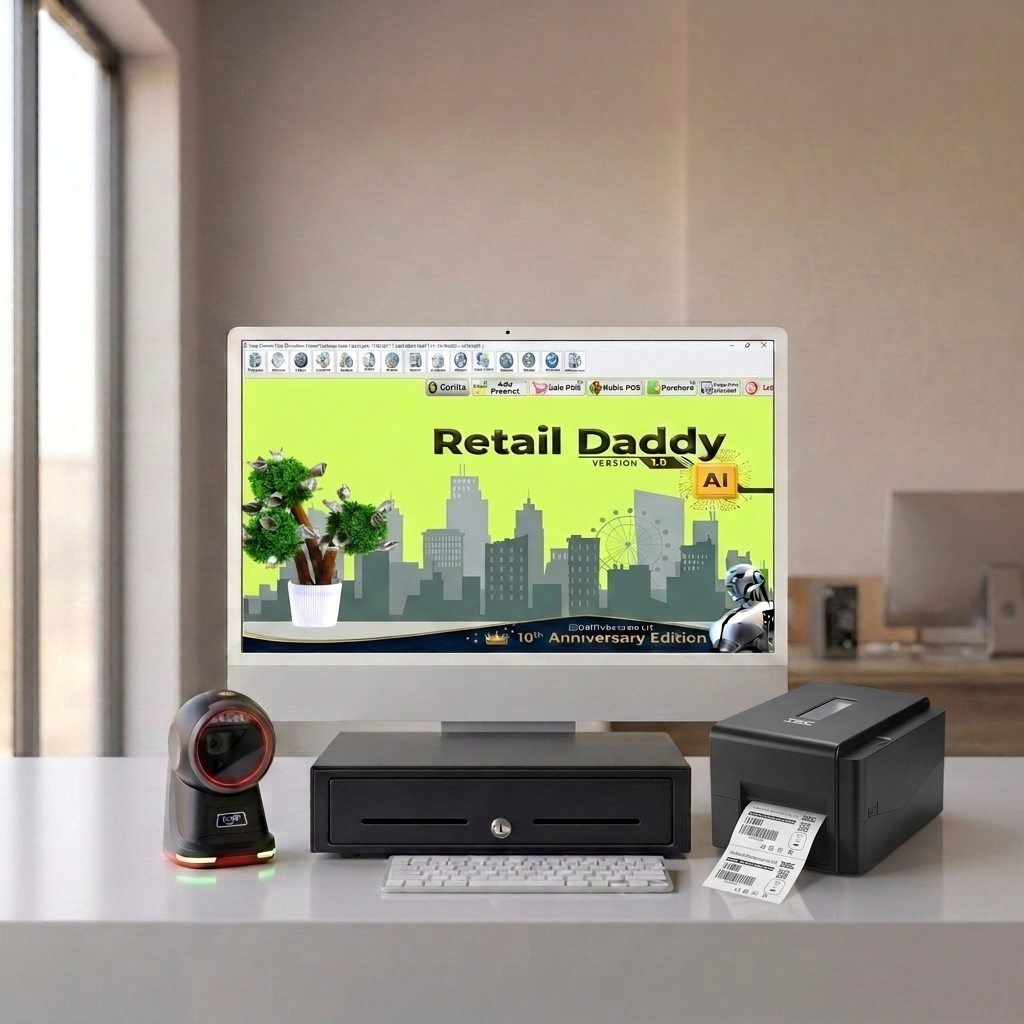
Retail Daddy is billing and POS software built for the Indian SMB market — grocery, retail, pharmacy, and similar setups — and it’s designed around a one-time license rather than a monthly subscription. That’s worth pausing on, because it changes the math on hardware decisions like this one.
If you’re paying a subscription every month for your billing software, spending extra on a barcode printer feels like piling cost on cost. With a one-time license, the printer is your only ongoing cost (ribbon and labels aside), and that changes how a small shop owner budgets for the whole setup.
Retail Daddy is built to handle barcode label printing and integrates with thermal printers including TSC models — the exact TTP-244 driver compatibility and whether label template presets exist within Retail Daddy before publishing this claim, since this needs confirming against the current product build rather than assumed.
Inventory and barcode generation sit inside the same GST billing flow, so there isn’t a separate label-design app you’re bouncing between during setup.
Is it the right fit for every retailer? Not necessarily. If you need cloud-based multi-branch sync out of the box, or you’re a large chain wanting a dashboard from anywhere, that’s a different conversation. But for a single-counter or small multi-branch grocery or retail setup, avoiding a recurring bill for something as basic as billing software is, frankly, a good call for most small operators.
In the above video, we demonstrate the complete TSC TE244 barcode printer installation process, including ribbon loading, label roll installation, driver setup, and a test print to verify accurate barcode printing. This tutorial is ideal for retail store owners, supermarkets, and businesses looking to set up their barcode label printer correctly for smooth day-to-day billing operations.
For seamless barcode printing and invoicing, we recommend pairing your TSC TE244 printer with Retail Daddy billing software — a reliable retail billing software and POS software solution that integrates effortlessly with barcode printers for fast label printing, inventory management, and GST billing. Retail Daddy ensures your barcode printer setup works flawlessly with your retail POS system, helping shop owners save time and reduce billing errors.
Setting it up: the short version
Getting the TTP-244 talking to your billing software isn’t complicated once you know the order of operations. Install the TSC driver first — download it from TSC’s official support page, not a random mirror site, since outdated drivers are behind a good chunk of “printer not detected” complaints. Connect the printer via USB and let Windows recognize it before opening your billing software at all.
Once the driver’s installed, open your billing software’s printer settings and select the TSC TTP-244 from the list. Set your label size to match what you’ve physically loaded into the printer — this is the step people skip, and it’s the single biggest cause of misaligned prints. Print one test label. If it comes out clean, you’re done. If it doesn’t, the fix is almost always the label size setting, not the printer itself.
One-time license vs subscription: the number that actually matters
Everyone compares monthly prices when they’re shopping. Nobody compares three-year totals, and that’s where the real difference shows up.
A subscription billing app at, say, ?500–1,000 a month adds up to ?18,000–36,000 over three years — and that’s assuming the price doesn’t go up, which it usually does. A one-time license, even at a higher upfront cost, is often cheaper over that same window, and you’re not stuck re-negotiating renewal terms or losing access if you miss a payment cycle.
That said — subscription models do make sense for some businesses. If you’re a startup unsure whether you’ll even be operating in a year, or you want cloud access from day one without upfront cost, paying monthly buys flexibility. It depends on how long you plan to run the shop and how much cash you want tied up on day one.
Common problems and quick fixes
Printer not detected: Almost always a driver issue. Reinstall the latest driver from TSC’s site and restart the computer, not just the printer.
Labels printing blank or partially blank: Usually thermal head sensitivity or ribbon alignment on thermal transfer models. Check ribbon is loaded the correct way — it’s easy to load backward, and the printer won’t warn you.
Wrong label size or misalignment: Nine times out of ten, this is the software’s label size setting not matching the physical label stock. Recalibrate in the printer’s own utility software before touching anything else.
Driver conflicts after Windows updates: Windows occasionally overwrites printer drivers during updates. If printing suddenly stops working after a Windows update, reinstalling the TSC driver usually resolves it.
FAQs
Which billing software works best with TSC TTP-244?
Any billing software with direct thermal printer support and barcode auto-generation will work, but the smoother experience comes from software built specifically for Indian retail workflows, since it handles GST and inventory in the same flow as label printing.
Is Retail Daddy compatible with TSC barcode printers?
Retail Daddy supports thermal barcode printer integration for retail billing use cases, including TSC printer models. [VERIFY specific model compatibility list before publishing.]
Do I need a subscription for barcode printing software in India?
No — several Indian billing platforms, including one-time-license options like Retail Daddy, support barcode printing without a recurring monthly fee.
What’s the difference between the TTP-244, 244 Plus, and 244 Pro?
They differ mainly in print speed, memory, and connectivity options. [VERIFY exact spec differences against TSC’s current official documentation before publishing.]
Can I use the TTP-244 without ribbon (direct thermal)?
Depends on the specific variant — some support direct thermal printing, which skips the ribbon but produces labels that fade faster over time.
If you’re setting up a new counter or replacing an old billing system, it’s worth testing the printer and software together before you commit to either one. Retail Daddy offers a demo/trial where you can check exactly this — how a TSC printer behaves with real billing data before you’re locked in.
Categories & Tags
Similar Downloads

Leave a Reply