
- Version 1
- Download 9
- File Size 12.7 MB
- File Count 1
- Create Date January 14, 2026
- Last Updated September 2, 2026
PR 95
The Everycom PR-95 is a versatile and compact Thermal Barcode Label Printer. Unlike the receipt printers mentioned earlier, this model is specifically engineered for high-quality label and barcode printing.
Quick Highlights
-
Dual Mode: Primarily used as a Barcode Label Printer, but often supports receipt printing as well.
-
Printing Technology: Direct Thermal (no ribbon required)—ideal for short-term labels like shipping or price tags.
-
Resolution: 203 DPI, ensuring that barcodes are sharp and easily scannable by all laser and CCD scanners.
-
Print Speed: High efficiency, typically reaching up to 127mm/sec to 150mm/sec.
-
Auto-Calibration: Features intelligent sensors that automatically detect the gap between labels, ensuring perfect alignment every time.
-
Compact Design: Designed to fit in tight workspaces while still holding a standard-sized label roll inside.
Best For:
-
E-commerce: Printing shipping labels for Amazon, Flipkart, or eBay.
-
Healthcare: Labeling test tubes, medicine bottles, and patient records.
-
Retail: Creating price tags, jewelry labels, and shelf-edge labels.
-
Office Use: Folder labeling and asset tracking.
- Everycom PR-95 Thermal Barcode Label Printer: A Practical Review for RetailersNew stock arrives, and suddenly you’re holding fifty items that all need price tags and scannable barcodes before they can go on the shelf — and your regular receipt printer, the one that handles your bills just fine, can’t touch this job. That’s the exact gap a dedicated label printer like the Everycom PR-95 is built to close. If you’ve been printing labels the slow way — outsourcing it, or worse, hand-writing price tags — it’s worth understanding what a proper dual-mode label printer actually does differently.
What Is the Everycom PR-95, Exactly?
The PR-95 is a dual-mode thermal printer — meaning it’s primarily built to function as a barcode label printer, but it can also handle standard receipt printing, which makes it a flexible pick for a small store that doesn’t want to run two separate machines. It’s worth being clear about the difference upfront, since the two printer types work differently: a receipt printer just feeds continuous paper and cuts it to length, while a label printer needs to detect where each individual label starts and ends on the roll so barcodes and price tags line up correctly every time.
Here’s the spec block for the PR-95:
Spec Detail Mode Dual mode — barcode label printing (primary) plus receipt printing Printing technology Direct thermal (no ribbon required) Resolution 203 DPI Print speed Approximately 127mm/sec to 150mm/sec Label detection Auto-calibration with intelligent gap sensors for consistent label alignment Build Compact design, fits a standard-sized label roll in a small footprint Everycom is an India-based electronics brand that also sells thermal receipt printers, projectors, barcode scanners, and cash drawers, positioned generally as an affordable alternative to bigger POS hardware names. The direct thermal print method here means there’s no ribbon to buy or replace — a real advantage for short-term labels like price tags and shipping labels that don’t need to survive months of handling.
Key Features That Actually Matter at the Counter
- Auto-calibration for label gaps. This is the feature that actually separates a real label printer from a receipt printer pressed into service. The sensor detects where one label ends and the next begins, so barcodes print squarely on each label instead of drifting off-center after a few prints.
- Dual-mode flexibility. Being able to switch between label printing and receipt printing means a small store can run one machine for both price-tagging new stock and printing customer bills, instead of budgeting for two separate printers.
- 203 DPI resolution. This resolution produces barcodes sharp enough for both laser and CCD scanners to read reliably on the first pass — important, since a barcode that needs re-scanning slows down checkout just as much as a slow printer does.
- No ribbon required. Direct thermal printing keeps running costs down to just the label rolls themselves, which matters when you’re printing labels in batches for new stock.
- Reasonable print speed. At 127-150mm/sec, it’s fast enough to get through a batch of price tags without turning restocking into an all-afternoon task.
- Compact footprint. Built to hold a standard label roll without needing a large dedicated space on the counter or back office.
Who Should Actually Buy This
The PR-95’s dual-mode design and auto-calibration sensor make it useful across a wider range of jobs than a typical receipt printer, since accurate label alignment matters differently depending on what you’re labeling:
- E-commerce sellers — printing shipping labels for Amazon, Flipkart, or eBay orders, where consistent alignment matters for warehouse scanning and courier handling.
- Healthcare and clinics — labeling test tubes, medicine bottles, and patient records, where accurate, legible barcodes support tracking and reduce mix-ups.
- Retail stores — creating price tags, jewelry labels, and shelf-edge labels, especially for smaller item formats where auto-calibration keeps labels from printing off-center.
- Office use — folder labeling and asset tracking, where a compact dual-mode printer covers occasional labeling needs without a dedicated industrial machine.
Kirana stores, boutiques, pharmacies, and small distributors doing routine barcode tagging and price-labeling for new stock are also a natural fit, particularly if they want one machine that covers both labels and receipts instead of running two separate printers.
Setup and Software Compatibility: The Part People Get Wrong
A label printer is only as useful as the software generating the barcodes and label layouts feeding it — and this is where a lot of small retailers get stuck. Buying the hardware is the easy part; getting barcodes to actually match your inventory records and print in the right format takes software that’s built for it.
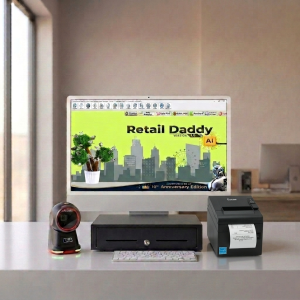
This is where Retail Daddy billing software is a strong match for the PR-95. Specific reasons why:
- Barcode generation tied to inventory — Retail Daddy generates barcodes directly from your product records, so what prints on the label matches what’s in your stock system without manual re-entry.
- Compatible label and print command handling — Retail Daddy sends print jobs formatted correctly for label printers with gap-sensing hardware like the PR-95, so alignment stays accurate across a full batch run.
- GST-compliant billing on the receipt side — since the PR-95 can also print receipts, Retail Daddy handles that mode with correct tax breakups just as it would with a dedicated receipt printer.
- Reliable performance on budget hardware — Retail Daddy is built to work smoothly with cost-effective printers, not just premium models, so pairing it with the PR-95 doesn’t mean sacrificing reliability.
- Fast batch label printing — when you’re pricing a new stock delivery, Retail Daddy queues and sends labels efficiently, making full use of the PR-95’s print speed instead of slowing the batch down.
If you’re setting up barcode labeling for the first time, pairing the PR-95 with Retail Daddy means your inventory system and your printed labels stay in sync from day one, rather than becoming two separate things you have to reconcile manually.
Pros and Cons — Honestly
Pros:
- Genuine dual-mode flexibility — labels and receipts from one machine
- Auto-calibration sensor for accurate label alignment
- No ribbon needed, keeping running costs predictable
- 203 DPI resolution reliably scannable across barcode reader types
- Compact enough for a small counter or back-office setup
Cons:
- Print speed (127-150mm/sec) is moderate rather than fast — fine for regular batches, less ideal for very high-volume labeling
- Direct thermal labels can fade over time in heat or direct sunlight, so not ideal for labels needing long-term durability
- Less brand recognition than TVS or Zebra in the Indian POS market, which can matter for dealer trust and service availability
- As a dual-mode device, it may not match a dedicated label printer’s speed or a dedicated receipt printer’s simplicity if you only need one function
Buying Advice / Where to Buy
Before ordering, confirm the exact label size range the PR-95 supports against the specific tags you plan to print — garment tags, price stickers, and shipping labels can all differ in size, and not every label printer handles the full range equally well. Buy from an authorized or verified seller and check warranty terms carefully, since coverage on budget label printers can vary more between sellers than the specs do. If you’re ordering for multiple stores, request a demo unit and test actual label alignment and barcode scan rates before committing to a bulk purchase.
FAQs
Is the Everycom PR-95 direct thermal or thermal transfer?
It’s a direct thermal printer, meaning it doesn’t require a ribbon. This keeps running costs lower and suits short-term labels like price tags well, though labels may fade faster than thermal-transfer prints under heavy heat or sunlight exposure.
Does it print barcodes and receipts on the same printer?
Yes — the PR-95 is a dual-mode printer, primarily built for barcode label printing but also capable of standard receipt printing, so one machine can cover both jobs for a small store.
Is the Everycom PR-95 compatible with Retail Daddy or Tally for inventory labeling?
Yes, it works with standard barcode and label printing software including Retail Daddy, which ties barcode generation directly to your inventory records for accurate, synced labeling.
Does the auto-calibration feature actually matter?
Yes — without accurate gap detection, labels can drift out of alignment over a print run, leading to barcodes printed off-center or across label edges. The PR-95’s sensor keeps each label positioned correctly automatically.
Can the Everycom PR-95 print shipping labels for Amazon or Flipkart?
Yes, its direct thermal printing and auto-calibration make it suitable for e-commerce shipping labels, where consistent alignment and scannable barcodes matter for warehouse and courier handling.
Final Word
For a small retailer who needs to print price tags and barcode labels without investing in a dedicated industrial label printer, the Everycom PR-95’s dual-mode setup is a genuinely practical fit — one machine, no ribbon costs, and auto-calibration that takes the guesswork out of label alignment. Pair it with software that keeps your barcodes tied to actual inventory data, like Retail Daddy, and pricing a new stock delivery stops being a chore and just becomes part of the routine.
Leave a Reply